ICON Golf Cart Serial Number Lookup
ICON does not publish a universal public serial-to-year table. Use the 17-digit VIN when the vehicle is an LSV, then combine the model badge, serial plate, and paperwork to confirm the exact cart.

How to Identify Your ICON
- 1
Check under the dash, inside the glove box, and along the passenger-side frame.
- 2
Enter the 17-digit VIN when one is present; otherwise enter the serial or model badge.
- 3
Use the badge to identify the seating and lift configuration.
- 4
Confirm the model year from the VIN or ownership paperwork before ordering year-specific parts.
Check an ICON VIN, Serial, or Model Badge
Enter an ICON model badge, serial, or 17-digit LSV VIN. Exact year identification usually requires the VIN or ownership paperwork.
ICON Lookup Examples
| Number, code, or clue | What it tells you |
|---|---|
| 17-digit VIN | The strongest source for model year on an ICON LSV. |
| i40 | Four-passenger model-family badge. |
| i60L | Six-passenger lifted model-family badge. |
ICON Model Badge Guide
ICON badges identify the model family and seating layout. They do not replace the VIN or paperwork when you need the exact model year.
| Model family | Production era | Identification clues |
|---|---|---|
| i20 | Current / recent production | Two-passenger configuration. |
| i40 / i40L | Current / recent production | Four-passenger configuration; the L suffix identifies a lifted variant. |
| i60 / i60L | Current / recent production | Six-passenger configuration; the L suffix identifies a lifted variant. |
| C-Series / G-Series | Current production | Separate newer model families; use the full badge and VIN together. |
| EPIC | Current / recent production | Related premium model line; identify by EPIC badge and its own VIN or plate. |
Where to Find the ICON Serial Plate
Primary location
Under the dash, inside the glove box, or on the passenger-side frame.
Backup location
Most LSV models also carry a 17-digit VIN.
Use the VIN when possible. Official ICON docs publish model badges like i20, i40, and i60, but not a public serial-to-year decoder. Example format: 17-digit VIN or i40 badge.
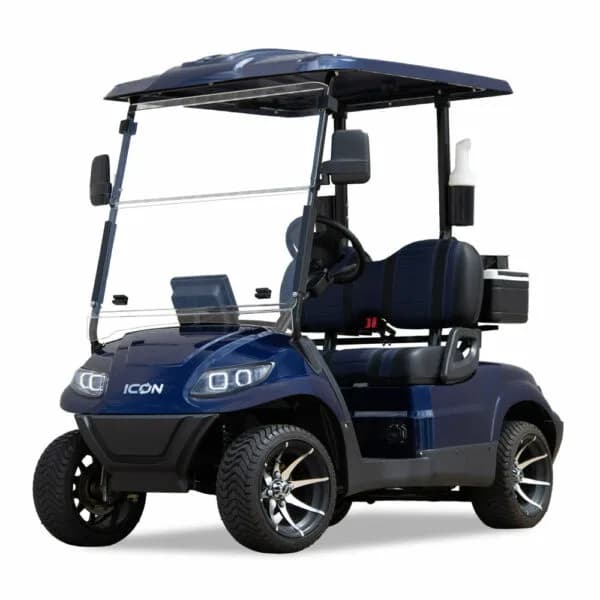
Current ICON Models





Verify the Result
- Use the VIN for year identification when the cart is an LSV.
- Record the complete badge, including L or other suffixes.
- Match seating capacity and lift configuration to the badge.
- Verify the VIN and serial against the title, MSO, or bill of sale.
Reference Sources
Related ICON Resources
Frequently Asked Questions
Where is the ICON golf cart serial number?
Check under the dash, inside the glove box, and on the passenger-side frame. Street-legal ICON models should also carry a 17-digit VIN.
Can an ICON serial number tell me the year?
ICON does not publish a universal public serial-to-year decoder. A 17-digit VIN or ownership paperwork is the strongest source for the exact year.
What do ICON model badges mean?
Badges such as i20, i40, and i60 identify the model family and passenger configuration. An L suffix commonly identifies a lifted variant.
Is an ICON serial number the same as a VIN?
No. The manufacturer serial identifies the cart within ICON records, while a standardized 17-digit VIN identifies an LSV for road-vehicle paperwork.