
As an Amazon Associate, we earn from qualifying purchases. This helps support our site at no extra cost to you.
A golf cart battery meter looks simple until it lies to you. It shows full after a charge, then drops to red on the first hill. It flashes for no obvious reason. It works on the bench, then goes blank after you install it. Or it reads one battery instead of the full pack and tells you almost nothing useful.
This guide focuses on golf cart battery meter wiring and troubleshooting for 36V, 48V, and 51.2V lithium carts. If you want a broader list of dashboard gadgets, start with our golf cart dashboard tech guide. If you want exact voltage numbers by battery type, use the golf cart battery voltage chart. This page is the practical wiring and bad-reading guide.
Typical Meter Cost $10 to $40
Common Install Time 15 to 45 minutes
48V Full Lead-Acid Pack About 50.9V rested
36V Full Lead-Acid Pack About 38.2V rested
Best Diagnostic Tool Multimeter
Most Common Mistake Reading one battery, not the pack
Golf Cart Battery Meter Wiring: Quick Answer
Most digital golf cart battery meters wire like this:
- meter positive to the main pack positive
- meter negative to the main pack negative
- optional switched positive through the key switch, relay, or accessory circuit
- meter set to the correct voltage and battery type when it has settings
Do not connect a 36V or 48V battery meter to a single 6V, 8V, or 12V battery and expect useful state-of-charge data. The cart runs on the whole pack. The meter needs to see the whole pack.
If your cart has a 48V pack made from six 8V batteries, the meter positive belongs at the pack positive end of the series string and the meter negative belongs at the pack negative end. If your cart has a 36V pack made from six 6V batteries, the same rule applies. Count the full series circuit, not the individual battery you can reach most easily.
Simple Battery Meter Wiring Diagram
Use this as the plain-English wiring diagram for most two-wire digital meters:
Main pack positive -> 1A to 3A inline fuse -> meter positive
Main pack negative -> meter negative
Optional key switch or relay -> placed in the positive lead
The fuse belongs near the battery end of the positive lead. If the wire rubs through later, the fuse protects the small meter wire before it can overheat.
Battery Meter vs Voltmeter vs State-of-Charge Display
These terms get mixed together.
| Display type | What it shows | Best use | Weakness |
|---|---|---|---|
| Basic voltmeter | Real-time pack voltage | Fast wiring, simple diagnosis | You must understand voltage charts |
| Bar-style battery meter | Bars or percent based on voltage | Easy glance while driving | Can be inaccurate under load |
| Analog dash gauge | Needle position | Original-style dash look | Often vague or sticky |
| Shunt monitor | Current in and out of battery | Better capacity tracking | More wiring and setup |
| Lithium BMS display or app | BMS-based state of charge | Lithium packs | Brand-specific |
A voltmeter is honest but less user-friendly. A percent display is easier to read, but the percent is only as good as the meter's battery profile. Lead-acid batteries and lithium batteries discharge differently, so the same meter can be useful on one cart and misleading on another.
For flooded lead-acid batteries, Trojan's maintenance guidance emphasizes checking electrolyte specific gravity for accurate battery condition. Battery University makes the same point: voltage is useful, but specific gravity is often more accurate for flooded lead-acid state of charge. That is why a dash meter should not be the only test you trust.
Which Battery Meter Should You Buy?
For most older electric carts, a universal digital meter rated for 12V to 72V is the easiest starting point. It works across common 36V, 48V, and 51.2V systems, and it costs far less than a factory display.
The OMEIPMEO battery monitor meter already fits the kind of install most owners need: a simple universal display, broad voltage range, and easy two-wire setup. It is the right style of product for a cart that needs a clearer charge readout without a full dashboard rebuild.
Check OMEIPMEO Battery Monitor PriceUse a different style of monitor when:
- the cart has a new lithium battery with a matching display
- the battery maker provides a Bluetooth app
- you want amp-hour tracking, not just voltage
- you need a factory-looking replacement for a specific dash
- the cart is under warranty and the dealer requires OEM parts
If you also want USB charging, switches, speakers, GPS, or a phone mount, see the dashboard tech guide. This post stays focused on the battery meter itself.
Tools and Parts for a Clean Install
You do not need a huge tool kit. You do need to avoid guessing around a high-current battery pack.
Useful tools and supplies:
- digital multimeter
- insulated crimper
- ring terminals sized for your meter wire
- inline fuse holder, usually 1A to 3A for meter wiring
- heat-shrink tubing
- cable ties
- terminal cleaning brush
- dielectric grease for dry, protected connections
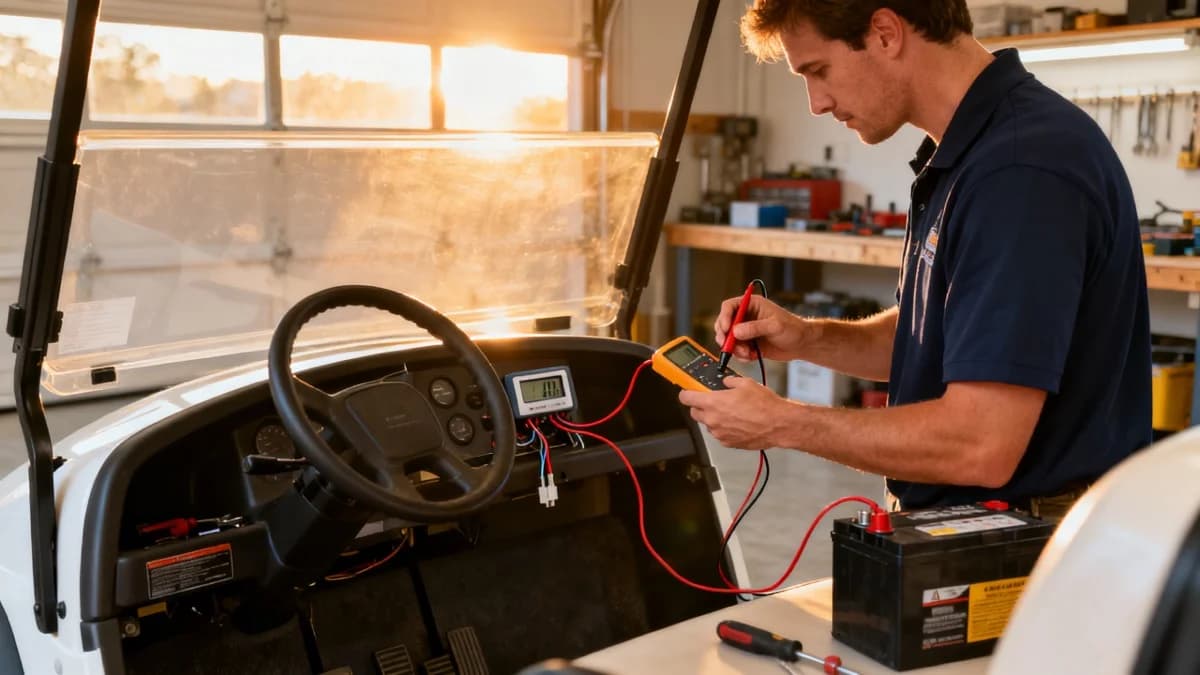
Start with a multimeter. You need it to confirm pack voltage, find the correct positive and negative points, and prove whether the new meter is wrong or the battery pack is actually low.
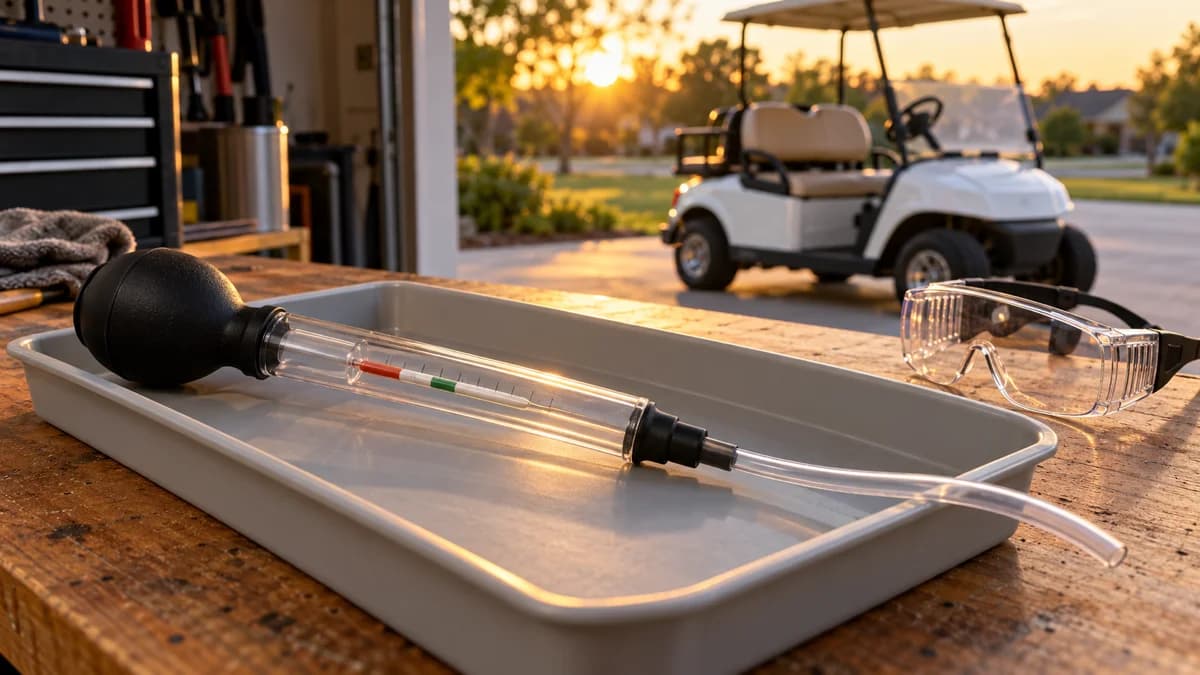
Check Price: AstroAI MultimeterIf you run flooded lead-acid batteries, a hydrometer is still useful. A dash meter cannot tell you that one cell inside one battery is weak.
Check Battery Hydrometer PriceDirty terminals can create voltage drop and weird meter behavior, especially if the meter ground shares a corroded connection.
Schumacher Terminal Cleaning BrushHow to Wire a Two-Wire Battery Meter
Most universal meters use two wires. Red goes to positive. Black goes to negative.
Step 1: Put the Cart in a Safe State
Remove the key. Put the cart in tow mode if it has a tow/run switch. Set the parking brake. Remove jewelry. Keep loose tools away from open battery terminals.
If you are not comfortable working around a 36V, 48V, or 51.2V battery pack, use a golf cart repair shop. Low voltage does not mean low current.
Step 2: Identify Pack Positive and Pack Negative
Look at the battery series string. The main positive cable usually leaves one end of the pack toward the solenoid, controller, or main harness. The main negative cable leaves the opposite end.
Verify with a multimeter:
- 36V cart should show about 38V when fully charged and rested
- 48V cart should show about 51V when fully charged and rested
- 51.2V lithium pack may show higher when full depending on chemistry and BMS settings
If your meter reads only 6V, 8V, or 12V, you are on one battery, not the full pack.
Step 3: Add a Small Inline Fuse
The meter draws very little current, but the battery pack can deliver a lot. Put a small inline fuse on the positive lead near the battery connection. A 1A to 3A fuse is plenty for most simple meters.
Do not run an unfused positive wire across the cart body. A pinched wire can short against the frame or steering column.
Step 4: Connect the Meter Negative
Connect the negative lead to pack negative or a clean ground point tied directly to pack negative. Do not assume the metal frame is a reliable ground on every golf cart. Many electric carts do not use the frame like an automotive 12V ground.
Step 5: Mount the Display Where You Can Read It
Good locations:
- flat dash panel near the key switch
- steering column bracket
- under-dash accessory panel
- existing gauge opening
Avoid locations where the display blocks the key, forward/reverse switch, cup holder, parking brake, or phone mount.
Step 6: Set Voltage and Battery Type
Some meters auto-detect voltage. Others require setup. If yours has a menu, set:
- 36V lead-acid for six 6V batteries
- 48V lead-acid for six 8V batteries or four 12V batteries
- LiFePO4 or lithium setting for a 48V-class lithium pack
- alarm threshold only after you know the real voltage range
Do not trust the percentage until you have confirmed voltage with a multimeter.
Should the Battery Meter Turn Off With the Key?
Direct-to-pack wiring is simple. It also means the meter stays on all the time unless the meter has a sleep mode.
Switched wiring is cleaner. The display turns on with the key and turns off when the cart is parked. That matters if the cart sits for weeks in a garage, at a vacation home, or in seasonal storage.
| Wiring method | Pros | Cons |
|---|---|---|
| Direct to pack | Easiest, always visible | Tiny parasitic draw during storage |
| Key-switched positive | Cleaner daily use | Requires finding switched source |
| Relay-switched positive | Best for clean accessory wiring | More parts and wiring |
If you store the cart for winter, read the winterization guide. A tiny meter draw is not a problem for a weekend, but it can matter over months.
36V, 48V, and 51.2V Wiring Notes
36V Golf Cart Battery Meter Wiring
Many older EZGO, Club Car, and Yamaha carts use 36V packs. A common setup is six 6V batteries in series.
Wire the meter across the full pack, not across one 6V battery. A full 36V lead-acid pack rests around 38.2V after surface charge settles. If your display is set for 48V, the bars or percent will be wrong.
48V Golf Cart Battery Meter Wiring
48V carts commonly use six 8V batteries, four 12V batteries, or a single lithium pack. A full 48V lead-acid pack often rests around 50.9V after surface charge settles.
If a 48V meter reads low right after charging, compare it with a multimeter at the pack. If both readings are low, the issue is probably charging or batteries, not the display. Use our charger guide and charger plug compatibility guide if the charger is suspect.
51.2V Lithium Battery Meter Wiring
Many modern lithium golf cart packs are 51.2V nominal LiFePO4 batteries. They do not behave like a six-battery lead-acid pack. Voltage stays flatter through much of the discharge, so a lead-acid meter can show full for too long.
Use the battery maker's display, Bluetooth app, or a lithium-compatible meter when possible. If you are replacing a tired lead-acid pack and want a modern BMS-backed setup, the EXEFCH 51.2V 105Ah lithium battery is one current option to compare against your tray size, controller, charger, and BMS needs.
Check EXEFCH 51.2V Lithium Battery PriceRead the lithium conversion guide before buying a pack. Meter compatibility is only one part of the conversion.
Why Your Golf Cart Battery Meter Is Not Reading Correctly
Start with the simple causes.
| Symptom | Likely cause | First test |
|---|---|---|
| Always shows full | Wrong battery type setting, surface charge, analog gauge stuck | Compare pack voltage after resting |
| Drops to red on hills | Voltage sag from weak pack or loose cables | Watch voltage under load |
| Blank display | Wrong polarity, blown fuse, no pack voltage | Test meter leads with multimeter |
| Flashes red or yellow | Low-voltage alarm or unstable voltage | Check pack voltage at rest and under load |
| Reads 6V, 8V, or 12V | Connected to one battery | Move leads to full pack ends |
| Reads backwards or zero | Polarity reversed or bad ground | Check red and black lead placement |
| Percent is wrong on lithium | Lead-acid profile on LiFePO4 battery | Use lithium setting or BMS display |
Meter Always Shows Full
This is common after charging. Lead-acid batteries can hold surface charge for a while, so the meter looks optimistic until the cart has been driven. Let the pack rest, then compare the meter to a multimeter.
If it still reads full when pack voltage is clearly lower, check the meter setup. Some universal meters need the battery type and cell count set manually.
Meter Drops Fast Under Load
A meter that drops hard under acceleration may be telling the truth. Weak batteries, old cables, corroded terminals, undersized battery cables, dragging brakes, or a failing controller can all make voltage sag under load.
Use the battery cable guide, controller symptoms guide, and troubleshooting guide if the meter reading collapses while driving.
Meter Is Blank
Check polarity first. Many digital meters will not light if red and black are reversed. Then check the inline fuse and verify voltage at the meter leads.
If the meter works when connected directly to the pack but not when mounted in the dash, the problem is in your added wiring, switch, fuse, crimp, or ground point.
Meter Flashes Red or Yellow
Flashing often means the meter thinks voltage is below its warning threshold. That can be a real low-pack condition, or it can be the wrong setting.
Do not ignore flashing if the cart also feels weak, slows on hills, or shuts off. That combination points toward real battery or cable trouble.
Brand-Specific Wiring Notes
EZGO Battery Meter Wiring
Older EZGO TXT carts can have simple dash layouts, while newer TXT48 and RXV carts use more integrated electronics. On older TXT carts, a universal meter across the pack is usually straightforward. On RXV carts, be more cautious because the drive system and braking electronics are more integrated.
If your EZGO also has charging trouble, read the EZGO TXT charger guide and charging port problems guide.
Club Car Battery Meter Wiring
Club Car DS, Precedent, Tempo, and Onward carts vary by year and battery layout. Older lead-acid carts are usually simple enough for a universal meter. Newer lithium or factory display carts may be better left to the dealer if the cart is under warranty.
If a meter problem appears after broader electrical symptoms, compare it with our Club Car MCOR guide and Club Car charger guide before replacing parts.
Yamaha Battery Meter Wiring
Yamaha G-series, Drive, and Drive2 electric carts have their own dash and battery layouts. Confirm the full pack ends before wiring. Do not copy a random 48V diagram without confirming your year and battery layout.
If your Yamaha is gas, this guide mostly applies only to a 12V accessory or starter battery meter. Gas-cart power-loss issues are usually better handled through the drive belt guide and maintenance checks.
Newer Lithium Cart Displays
Brands like ICON, Evolution, Star EV, Advanced EV, Atlas, Denago, Bintelli, and Kandi often use large dash displays tied into the battery and controller system. If the factory state-of-charge display is wrong, the issue may be software, BMS communication, or a dealer-level setting, not a simple two-wire gauge.
Check the golf cart warranty guide before cutting into a newer harness.
How to Use a Battery Meter Without Getting Fooled
A dash meter is useful. It is not a full battery test.
Use it like this:
- check the meter before leaving
- learn normal voltage after a full charge
- watch how much it drops on your usual hill
- compare readings before and after a long ride
- verify odd readings with a multimeter
- use a hydrometer on flooded lead-acid batteries when diagnosis matters
The meter is especially helpful for range planning. If you drive long loops in golf cart communities, use a cart for farm chores, or run accessories like lights, speakers, fans, or a backup camera, a clear voltage readout helps you spot problems early.
For range expectations by battery type, see How Far Can a Golf Cart Go?.
When the Meter Points to a Bigger Problem
Use the battery meter as an early warning sign.
Call a shop or dig deeper when:
- the meter reads low after a full overnight charge
- pack voltage falls hard under acceleration
- one battery reads much lower than the rest
- the meter flickers over bumps
- cables get warm after a short drive
- the charger shuts off too early
- the cart loses speed even though the meter shows charge remaining
- the cart has a lithium BMS warning
If you need local help, use the repair directory. If the batteries, charger, controller, and wiring are all aging at once, compare replacement carts through the dealer directory, best golf carts guide, or best golf cart brands guide.
Final Recommendation
Wire the battery meter across the full pack, protect the positive lead with a small fuse, and verify the reading with a multimeter before trusting the display. If the meter has settings, match the voltage and battery chemistry. If the cart has lithium, use a lithium-compatible meter or the battery maker's BMS display.
For most 36V and 48V lead-acid carts, a $10 to $20 universal digital meter is enough. For lithium conversions, newer factory displays, or carts under warranty, the meter is part of the larger battery and controller system. Treat bad readings as a clue, not a final diagnosis.
Frequently Asked Questions
How do you wire a golf cart battery meter?
Most digital meters use positive to main pack positive and negative to main pack negative. Add a small inline fuse on the positive lead. If you want the meter off when parked, route the positive through a switched source.
Can I wire a 48V meter to one 8V battery?
No. That only reads one battery. A golf cart battery meter should read the whole pack so it can show useful state-of-charge information.
Why does my battery meter always show full?
The meter may be on the wrong battery type setting, connected to the wrong point, stuck if it is analog, or showing surface charge right after charging. Confirm with a multimeter after the pack rests.
Why does my battery meter drop fast when I drive?
Fast drop under load usually means voltage sag. Weak batteries, loose cables, corroded terminals, or a high-current problem can all cause it. The meter may be showing a real issue.
Do lithium golf cart batteries need a special meter?
Often, yes. Lithium voltage stays flatter than lead-acid voltage. Use a LiFePO4-compatible meter, the battery maker's display, or a Bluetooth BMS app when available.
Should I connect the meter before or after the key switch?
Direct-to-pack wiring is easiest, but key-switched wiring turns the display off when parked. For carts that sit in storage, switched wiring is usually cleaner.
Is a battery meter accurate enough to diagnose bad batteries?
No. It is useful for trends. Use a multimeter, load testing, and a hydrometer on flooded lead-acid batteries when diagnosing weak cells or charger problems.
What voltage should a 48V golf cart meter show when full?
A healthy 48V lead-acid pack often rests around 50.9V after charging and settling. Lithium packs vary by chemistry and BMS, so use the battery maker's chart.
What voltage should a 36V golf cart meter show when full?
A healthy 36V lead-acid pack often rests around 38.2V after charging and settling. Under load, voltage will drop, so compare rested and driving readings.
Can a battery meter drain my golf cart batteries?
Yes, slowly. Most small digital meters draw very little, but direct-to-pack wiring can matter during long storage. Use a switched source or disconnect the pack for seasonal storage.
Why is my golf cart battery meter flashing?
Flashing usually means low voltage, an alarm threshold, unstable voltage, or the wrong meter setting. Confirm pack voltage with a multimeter before replacing the gauge.
Can I install a golf cart battery meter myself?
Yes, if you can safely identify pack positive and pack negative, crimp small wires, add a fuse, and mount the display. If the cart has a warranty, lithium display system, or modified harness, use a shop.
Golf Cart Search
Find the Best Golf Carts of 2026
Compare top-rated models, read expert reviews, and find the perfect cart for your needs.