
As an Amazon Associate, we earn from qualifying purchases. This helps support our site at no extra cost to you.
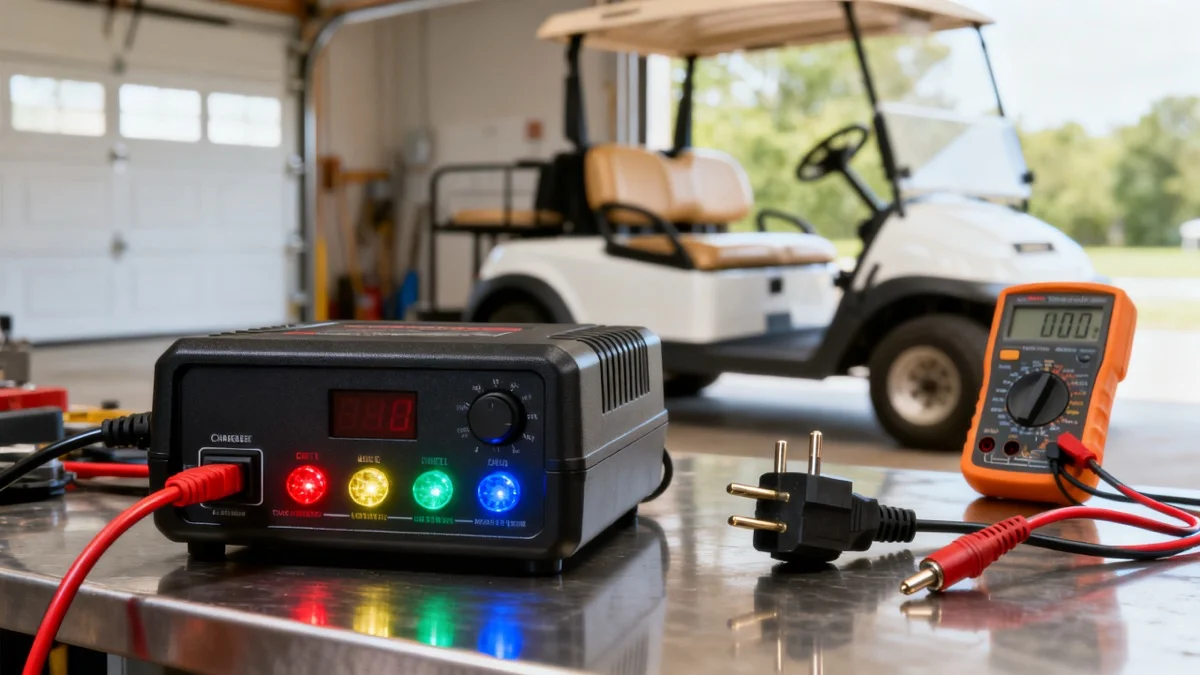
Golf cart charger light codes depend on the installed charger, not the cart badge or color alone. Record the model, LED position and flash pattern before resetting it. A completed charging cycle does not establish battery capacity.
We checked these primary references on October 10, 2026 and limited the decoder to the identified displays. Unknown-model selections require identification instead of guessing that a green, blue or red light is normal or faulty.
Decode Your Charger Light
Choose the cart brand, charger family, and exact light pattern. No email or serial number required.
Golf cart charger light codes: the fast answer
| Installed family | Reference used here | Scope |
|---|---|---|
| Club Car ERIC | Club Car indicator sheet | Battery-shape and triangle symbols |
| TXT 48V single LED | 633137-D, revised January 2019 | Manual-specific green/red patterns |
| Delta-Q QuiQ | Standard 10-LED display | Identify ammeter, 80%, 100% and AC separately |
| Yamaha DR2 PTV POWERTECH AC IRS Li | LIT-19626-A2-17 | MY2022 model; first edition September 2021 |
| Lester Summit II 1050W V2 | 43068J, sections 12.1–12.2 | Built-in LEDs; remote/configured variants can differ |
| PowerDrive, PowerWise, aftermarket or unknown | Exact installed manual required | No universal color translation |
A 48V label or familiar plug does not identify the charging profile, firmware or fault table. Photograph the label and indicators. Count repeated flashes between pauses; distinguish a startup light check from a persistent pattern.
Before you decode any charger light
Record the battery chemistry/configuration, charger model, whether AC and DC were connected, and which LED was active. Include any dashboard or app code and the point in the charge cycle when it appeared.
Stop use for a damaged cord, smoke, leakage, melted contacts or an overheating plug/receptacle. Isolate according to the manual before inspection. Do not hold a plug at an angle, wiggle it during charging or keep resetting a fault to continue using damaged equipment.
Check accessible cord and plug condition without opening the charger. If the outlet/GFCI repeatedly trips, obtain electrical diagnosis rather than repeated resets. Battery-voltage tests require suitable DC meter setup; never put a current-mode meter across the pack. Use the voltage-testing guide or a qualified shop.
EZGO charger light codes
The following is the single-LED charger in TXT Fleet Electric manual 633137-D, revised January 2019, printed page 20. Identify the actual charger before applying it; other TXT generations can use different thresholds.
| Pattern | Meaning in this manual |
|---|---|
| Short green flash | Less than 80% charged |
| Long green flash | More than 80% charged |
| Solid green | 100% charged |
| One red flash | Charge-enable contact problem or battery-temperature fault |
| Two red flashes | Pack below 48.0V or above 67.2V |
| Three red flashes | Charge time exceeded 24 hours |
| Four red flashes | Pack did not reach required nominal voltage within allowed time |
| Six red flashes | Internal charger fault; qualified service if it recurs after instructed DC reconnect |
The two-flash voltage limits apply to this document. They are not universal “48V golf cart charger” startup limits. One red flash includes battery temperature, rather than merely a hot charger case.
Use the TXT charger guide and plug compatibility guide when identifying replacements. A voltage fault alone does not establish that buying a charger will fix the problem.
Club Car charger light codes
Club Car's ERIC sheet defines these symbols:
| ERIC indicator | Meaning |
|---|---|
| Blue power symbol | AC power present |
| Lower green battery half flashing | Lower charge stage |
| Lower green solid, upper half flashing | Higher charge stage |
| Full green battery symbol | Fully charged |
| Orange triangle flashing | Unable to complete charge |
| Red triangle solid | Charger error; unplug/reset as instructed |
An ERIC triangle is not a PowerDrive or aftermarket code. The indicator sheet does not supply a universal reset waiting time. Follow the installed manual and obtain service when the fault persists.
Older Club Car charging arrangements may use an onboard computer. A different charger can require a documented wiring/lockout arrangement, but a fault light does not justify bypassing it. See the OBC guide before deciding which system is installed.
Delta-Q QuiQ charger light codes
For the standard 10-LED display, LED position changes the answer:
| Position and pattern | Meaning |
|---|---|
| Amber ammeter, solid during charging | Approximate output current |
| Amber ammeter, flashing | Thermal reduction; a flashing lowest level can also indicate output below that scale level |
| 80% amber, solid | Bulk complete; absorption stage |
| 80% amber, flashing without a battery | Selected algorithm number |
| 100% green, flashing | Finish phase |
| 100% green, solid | Complete; maintenance only if the algorithm supports it |
| AC amber, solid | Normal AC voltage |
| AC amber, flashing | Low AC voltage |
| Red fault, flashing | Record count and match the exact troubleshooting document |
Do not interpret a disconnected-battery algorithm display as a charging fault. Solid startup ammeter LEDs can also indicate the selected algorithm rather than live current; the connection state matters.
The linked QuiQ troubleshooting guide is specifically the JLG document dated February 19, 2016. Its detailed sections distinguish high/low battery voltage, timeout, failure to reach the starting level, thermal shutdown and internal-fault indications. Its summary and detailed instructions use different reset wording, so use the applicable model/fault procedure rather than a universal 15–30-second rule.
IC, RC, ICL and XV use another code system
Delta-Q's FAQ121, updated September 24, 2026, uses Fxxx/Eyyy codes for IC/RC/ICL/XV. Many are logged or reported over CAN; not all appear on a charger display. This is not the QuiQ red-blink lookup.
The reset distinction is concrete: F001 lists removal of AC and battery for at least 30 seconds, while F021 specifies at least 30 minutes. E011 indicates an external CAN disable command and is logged rather than displayed. Read the exact code's instructions; changing the wait or interpreting every disabled charger as hardware failure loses essential information.
Yamaha charger light codes
The MY2022 DR2 PTV Li manual covers LIT-19626-A2-17, first edition September 2021. Printed pages 38–40 identify:
- Amber ammeter: output-current scale; blinking for thermal reduction.
- 80% amber: charging above 80%; disconnected-battery flashes identify the algorithm.
- 100% green: complete and Storage Mode.
- AC amber: power present.
- Red fault: match the flashes to this manual's troubleshooting page.
Its fault guidance includes voltage, timeout, BMS communication, over-temperature and internal-fault conditions. That is not a table for every Yamaha charger. The decoder exposes only the seven indicator choices documented for this version, rather than adding every QuiQ option to a Yamaha selection.
If your charger instead has separate Power On, Error 1 and Error 2 lights, obtain that exact manual. Do not translate those lights through the MY2022 lithium display. Follow the documented reconnect/reset method rather than borrowing another charger's timing.
Lester Summit II charger light codes
The 1050W V2 manual 43068J identifies blue AC, yellow charge status and red fault. Green alone does not settle completion: with red/yellow off, solid green means complete, fast blinking is Balance/Equalize, and slow blinking is post-charge.
Red/yellow/green blinking together can indicate Bluetooth connection; a rotating pattern indicates a Bluetooth communication fault. Match the full combination to page 26 or ChargerConnect diagnostics. Optional remote indicators and configured variants differ. Do not apply this built-in table to them or assume a battery-independent low-temperature threshold.
Why a charger shows full but the cart still has no range
A completion indicator reports the charger's cycle outcome. It does not measure how many usable amp-hours the pack can deliver during your route.
Collect the completed-cycle record, battery identity, rested individual readings and the operating conditions behind the range complaint. Charging-profile mismatch, connections and battery deterioration need different evidence. A plausible pack total cannot exclude one unequal battery; a controlled manufacturer-approved load/capacity test may be needed.
Use the battery test guide, charge-time guide and lithium BMS guide to organize the next check. Keep charger completion, state of charge and usable capacity separate in the repair record.
Repair or replace the charger?
Unsafe to use does not automatically mean replace the entire charger. ERIC literature describes replaceable external AC/DC cords. Yamaha's cited troubleshooting section also identifies an approved AC-cord replacement path. Stop using damaged equipment and have the affected parts inspected; do not open the case for an improvised repair.
Request a diagnosis separating supply, external cord/receptacle, batteries, charging profile and internal electronics. Compare an approved repair quote with the correctly specified replacement. For internal faults, follow the exact manufacturer recommendation; recurring faults should not be cleared indefinitely.
Choose a replacement by approved voltage, chemistry, current, connector and control-system requirements. “Smart,” lithium-ready or the right plug shape is not complete compatibility evidence. Our charger comparison guide covers that selection.
36V TXT with a D-style receptacle
If diagnosis confirms that replacement is needed, compare the FORM 36V 18A D-style charger for a compatible 36V electric TXT. It is not a replacement for the 48V TXT charger in the fault table above. Its current listing names lead-acid, AGM and LiFePO4/lithium support; verify the supplied generation, battery-approved profile, charging current and receptacle wiring with the supplier.
See price on Amazon48V Club Car lead-acid with a three-pin round receptacle
The EPOWREY 48V 15A three-pin round charger is listed for lead-acid Club Car systems with a functioning OBC or a compatible non-OBC arrangement. It is not a lithium charger, and a round plug does not establish compatibility with an ERIC installation. Have the supplier confirm the complete charging/control arrangement; this offer is not a remedy for a faulty OBC or a reason to bypass it.
See price on Amazon48V Yamaha with a compatible Drive receptacle
The FORM 48V 15A Yamaha Drive-plug charger is a comparison option for a confirmed compatible electric Drive/G29 system. The current listing names lead-acid, AGM and LiFePO4/lithium support. Confirm the exact supplied generation, connector wiring, battery-approved profile and current, particularly after a lithium conversion. Do not assume compatibility with the MY2022 Yamaha lithium system described above or an older Yamaha connector.
See price on AmazonThese product listings were checked on October 16, 2026. Their own manuals govern setup and indicators. The code tables and decoder above do not describe these aftermarket chargers. A low-voltage, timeout or battery fault still needs diagnosis before purchasing a replacement.
Frequently asked questions
What do golf cart charger light codes mean?
They depend on the installed model, LED position, connection state and pattern. Identify the exact manual before assigning a color to normal charging, completion or a fault.
What do two red flashes mean on a TXT charger?
In TXT manual 633137-D, revised January 2019, they indicate pack voltage below 48.0V or above 67.2V. Other TXT chargers and manuals may differ.
What does a flashing yellow light on a Delta-Q charger mean?
On the standard QuiQ 10-LED display, ammeter flashing can indicate thermal reduction, while a flashing 80% LED without a battery displays the algorithm. Identify the LED and connection state.
What do ERIC orange and red triangles mean?
The ERIC sheet defines flashing orange as unable to complete charge and solid red as charger error requiring the documented unplug/reset procedure. It gives no universal waiting time.
Does a green Lester light mean charging is complete?
In 1050W V2 manual 43068J, solid green with red/yellow off means complete; fast green blinking means Balance/Equalize and slow blinking means post-charge. Configuration and remote indicators can differ.
How long should I wait before resetting a charger?
Use the exact model and fault procedure. Delta-Q FAQ121 specifies at least 30 seconds for F001 but 30 minutes for F021; there is no universal 15–30-second rule.
Should I replace a charger with a damaged cord?
Stop using it and obtain inspection. Some chargers, including the cited ERIC system, have approved replaceable external cords, so damage alone does not establish whole-charger replacement.
Does charge complete prove the batteries are healthy?
No. Record charge behavior and use the battery manufacturer’s testing procedure when range remains poor; voltage and charge completion do not measure usable capacity.
Should I leave the charger connected after completion?
Follow the exact battery, charger, profile and storage instructions. Maintenance or Storage Mode on one system does not authorize unattended storage for every charger.
Golf Cart Search
Find the Best Golf Carts of 2026
Compare top-rated models, read expert reviews, and find the perfect cart for your needs.